
My first game
About 15 minutes, on your own computer. You need a terminal and some curiosity, not programming experience.
Nothing to install at all? Do the same in the Studio, in your browser: Open the Studio
In about 15 minutes you will have your own game, connected to AikaHub: login, nickname, level, achievements. No programming background needed — just a terminal (command line) and some curiosity.
1. Install Node
Download the Node.js LTS version from nodejs.org and install it. Then, in a terminal:
node -vIf you see v18 or higher, you are ready.
2. Download the game
On the Developers page, download the English starter kit (aikahub-starter-en.zip), unzip it and open a terminal in the aikahub-starter folder.
Feel free to rename the folder after your game. Change the game's name in the name field of aikahub.config.json (see step 4).
3. Start it and play
cd neon-foxes
npm run dev
Open http://127.0.0.1:5173/ in your browser.
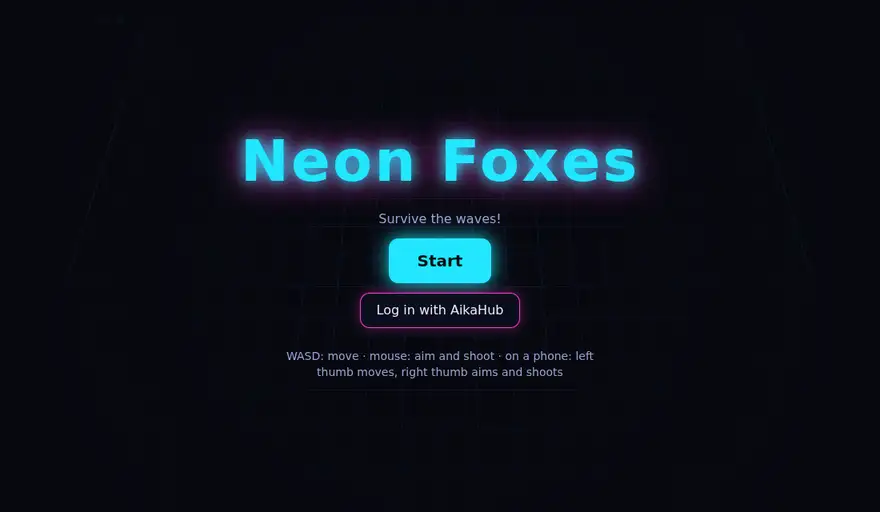
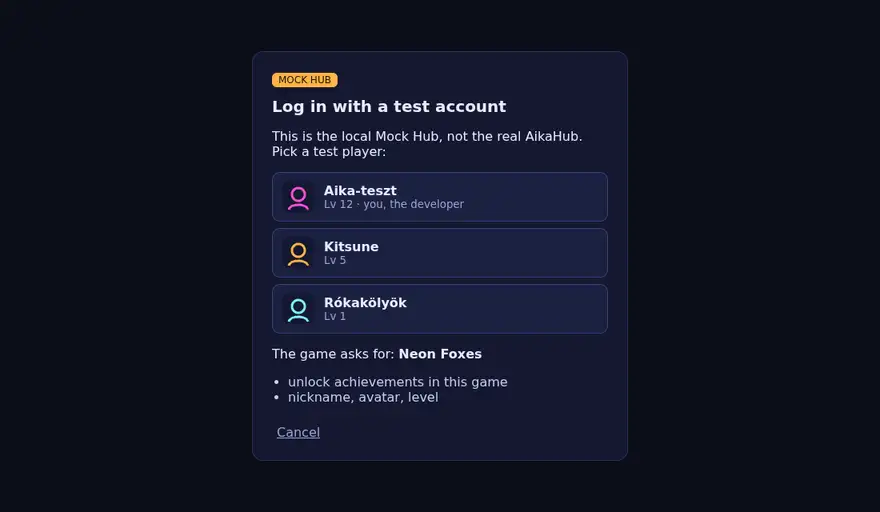
Click Log in with AikaHub. For now this is the local Mock Hub, a tiny "pretend AikaHub" on your computer: pick a test player (e.g. Aika-teszt — that one plays you, the developer).
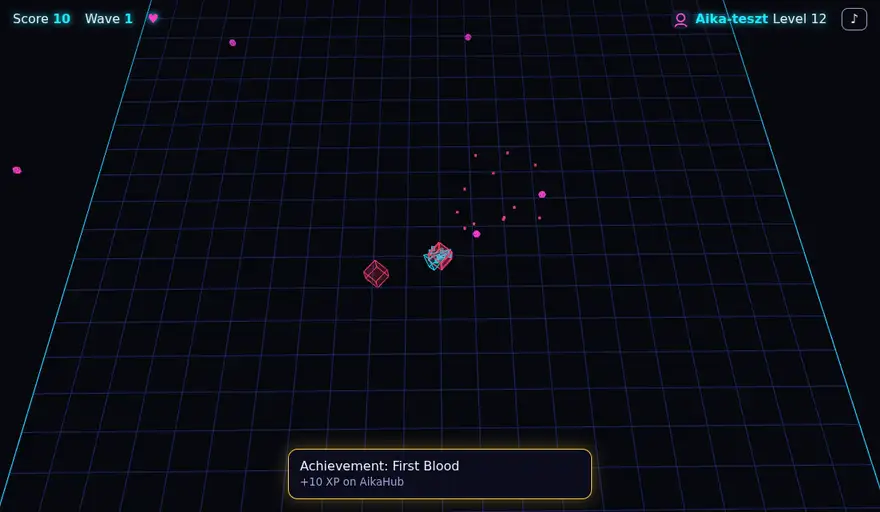
You are back in the game with your nickname and level in the top right. Press Start: WASD moves, the mouse aims and shoots (on a phone: left thumb moves, right thumb aims). Your first defeated enemy earns the First Blood achievement:
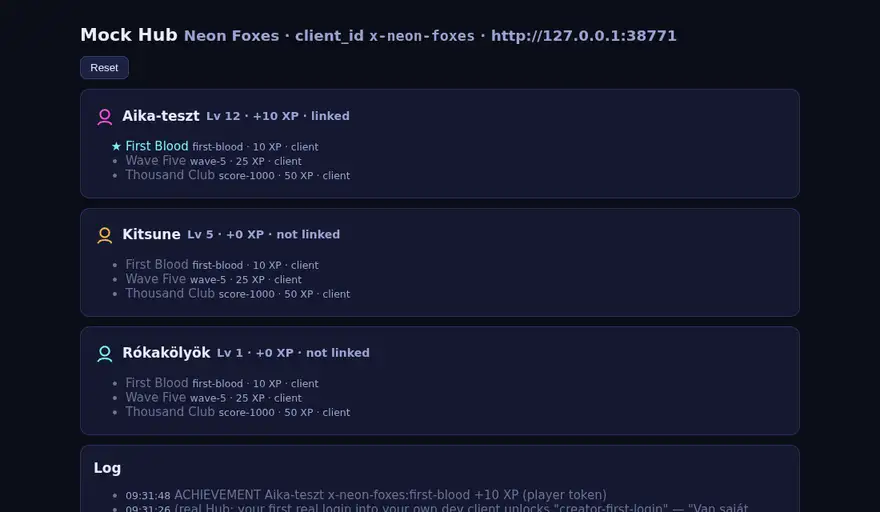
You see it in the terminal too (ACHIEVEMENT Aika-teszt …first-blood +10 XP) and on the Mock Hub page: http://127.0.0.1:8788/
4. Make it yours
Now the best part. Open the folder in an editor (e.g. VS Code) and change a few things:
- Name:
index.html→<title>and<h1 id="title">, plus"name"inaikahub.config.json. - Colours: the very top of
style.css(--neon,--pink…) andCOLORSinsrc/game.config.js(e.g.player: 0xff8800). - Enemies:
ENEMY_TYPESinsrc/game.config.js. Change aspeed(e.g.5→8) and see what happens. - Difficulty:
TUNINGinsrc/game.config.js— more lives (lives), faster shooting (fireRate), more enemies (perWave).
Save, reload the browser (F5). It is your game now.
5. Ask your AI to help
The folder has an AGENTS.md (and a CLAUDE.md): your AI assistant (Claude, ChatGPT, Copilot, Cursor …) learns the project and its rules from it. Try this request:
Add a power-up to the game: sometimes a defeated enemy drops a green ring, and picking it up makes me shoot twice as fast for 5 seconds. Follow AGENTS.md, write the comments in English, and run
npm run checkat the end.
Look at what it changed and try it. Not happy? Ask for something else — or change it yourself.
6. Developer account and your own client on AikaHub
So far everything ran on your computer. Now connect the real AikaHub (free). You need an AikaHub account with a verified email address (Settings), and you must be 18 or older.
- Open the Developer console: aikahub.com/developers/console.
- 1. Agreement: read the Developer Agreement and the SDK License. Tick the two boxes (the agreement + SDK License, and separately the Highlighted terms), the declarations (you are 18 or older; you are in the EEA or a country with an EU adequacy decision), whether you join as a private person or a business, then accept. You also get a confirmation email.
- 2. Client → New client:
- client_id: starts with
x-, e.g.x-neon-foxes(cannot be changed later). - Game name: e.g. Neon Foxes.
- Redirect URIs (one per line):
http://127.0.0.1/— without a port, because locally any port works. - Create — and you have your client_id.
- client_id: starts with
- Testers: if friends want to try it, add them by nickname (up to 5) and Save testers. Only you and your testers can log in to the developer version.
- Server key (only if you use the
server/part): when the game was created you already got a key (server/.env.local,ahk_…) and its hash was printed. For a new one:npm run key -- --force. Paste the printed 64-character hash and click Upload hash. Never paste the key itself (ahk_…) and never send it to anyone — the console refuses it anyway. - Edit
aikahub.config.json:
"clientId": "x-neon-foxes",
"hub": "https://aikahub.com",
7. Log in for real
npm run dev, then Log in with AikaHub in the game — now the real AikaHub asks whether you let the game in. Your first real login into your own game earns the "Van saját játékom!" ("I have my own game!") achievement on AikaHub. Congratulations!
Now your game's own achievements (First Blood, Wave Five, Thousand Club): in the Developer console open your client's Achievements step and use Import to paste the achievements array of aikahub.config.json (same format — or add them one by one). Save, play again: your first defeated enemy now unlocks First Blood on the real AikaHub too — as a test unlock ("sandbox"): no XP, and only you and your testers see it. The console shows it ("Sandbox: 1 tesztfeloldás") and can reset it if you want to try again. The first one earns the creator achievement "Az első saját achievementem" ("My first own achievement"). 🎉
Once your game is on the Játéktér, the reviewed achievements go live (real XP, profile, game page) and the test unlocks are discarded. Anything not added in the console answers 404 unknown_achievement — the game notes it in the browser console and skips it.
8. Submit it to the Játéktér
Want others to play it?
- Put the game on an https address (any static hosting works: the folder as it is, without
server/,tools/andmock-hub/). Add that address to the client's redirect URIs in the console and set"redirectUri"inaikahub.config.json. - In step 4. Playground of the console fill in the Playground page: name, short description (Hungarian; English and German optional), platform, the link where people can play, a cover image (16:9), the operator name and country, your game's privacy policy (https) and a contact (only we see it).
- Submit. We review it, and if all is well it goes live in the Játéktér (the AikaHub game space): from then on anyone can log in with it.
Questions? Write to info@aika.hu · Developer guide: aikahub.com/developers